Homelab Setup
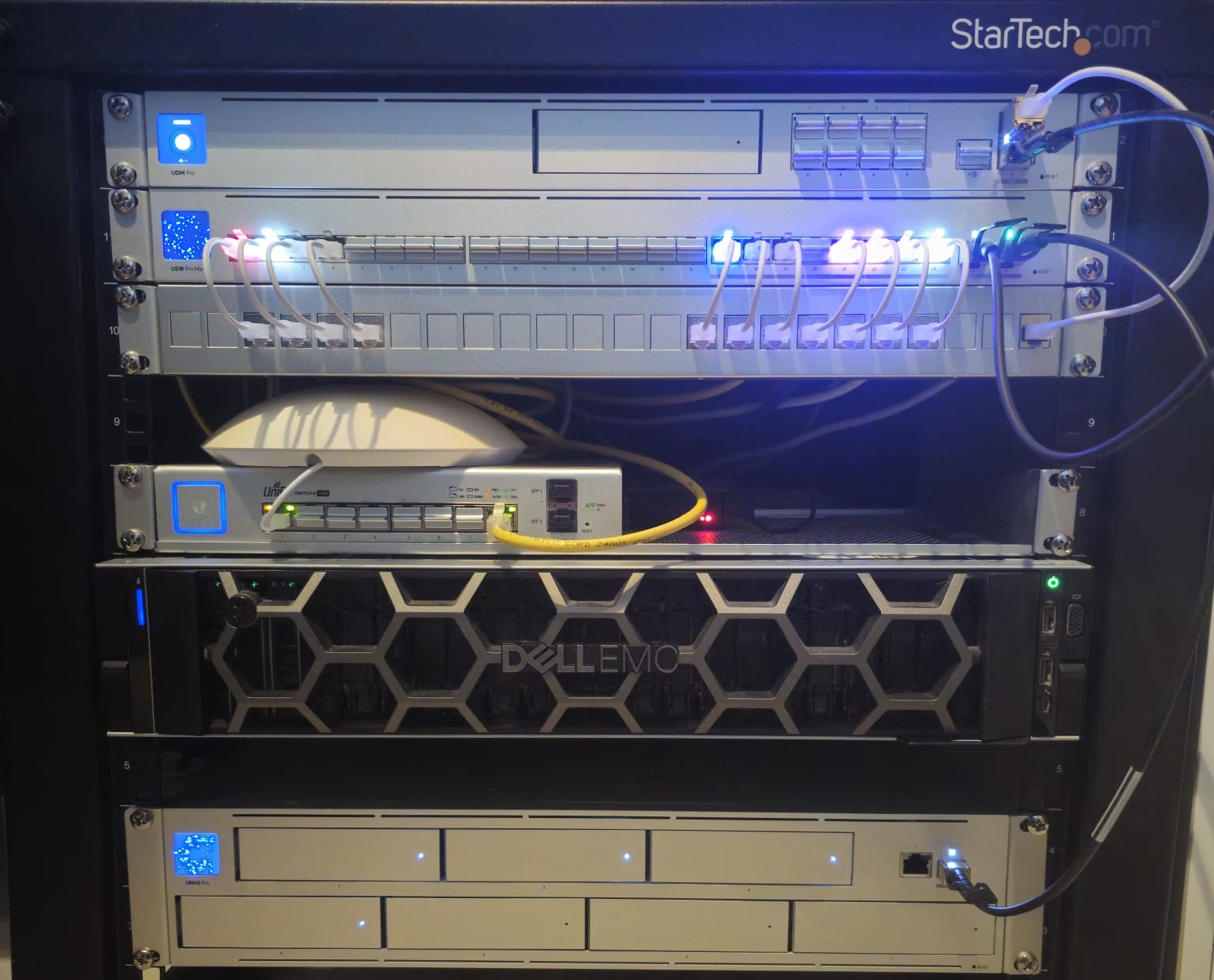
Why I Started a Homelab
Like many people in IT, I wanted a place to experiment, break things, and learn without risking production systems. This homelab is where I test ideas, run services I rely on daily, and slowly level up my Linux and networking skills.
This homelab is also a place where I run my service for the boys, my friends that I play games with on a regular basis. This blog will serve as documentation, both for myself and for anyone else that is interested.
Compute Setup
- Form Factor: 2U rack-mount enterprise server.
- Core Hardware: 2x Intel Xeon Gold 6138 (40 cores / 80 threads total) with 64GB DDR4 ECC 2133MHz RAM.
- Network Uplink: 1x Quad-port 1GbE NIC.
- Drive Configuration: 1.4TB total high-speed SSD storage.
I’m running Proxmox as my hypervisor, which hosts:
- Linux VMs (Ubuntu)
- Docker containers for lightweight services
- Game servers via AMP
Current services include:
- Uptime Kuma Monitoring: status.icy-it.xyz
- Application Management Panel: amp.icy-it.xyz
- Jekyll Blog: blog.icy-it.xyz
- Homarr for a homepage
- Gitlab for easily changing configs
 My Dell R740xd
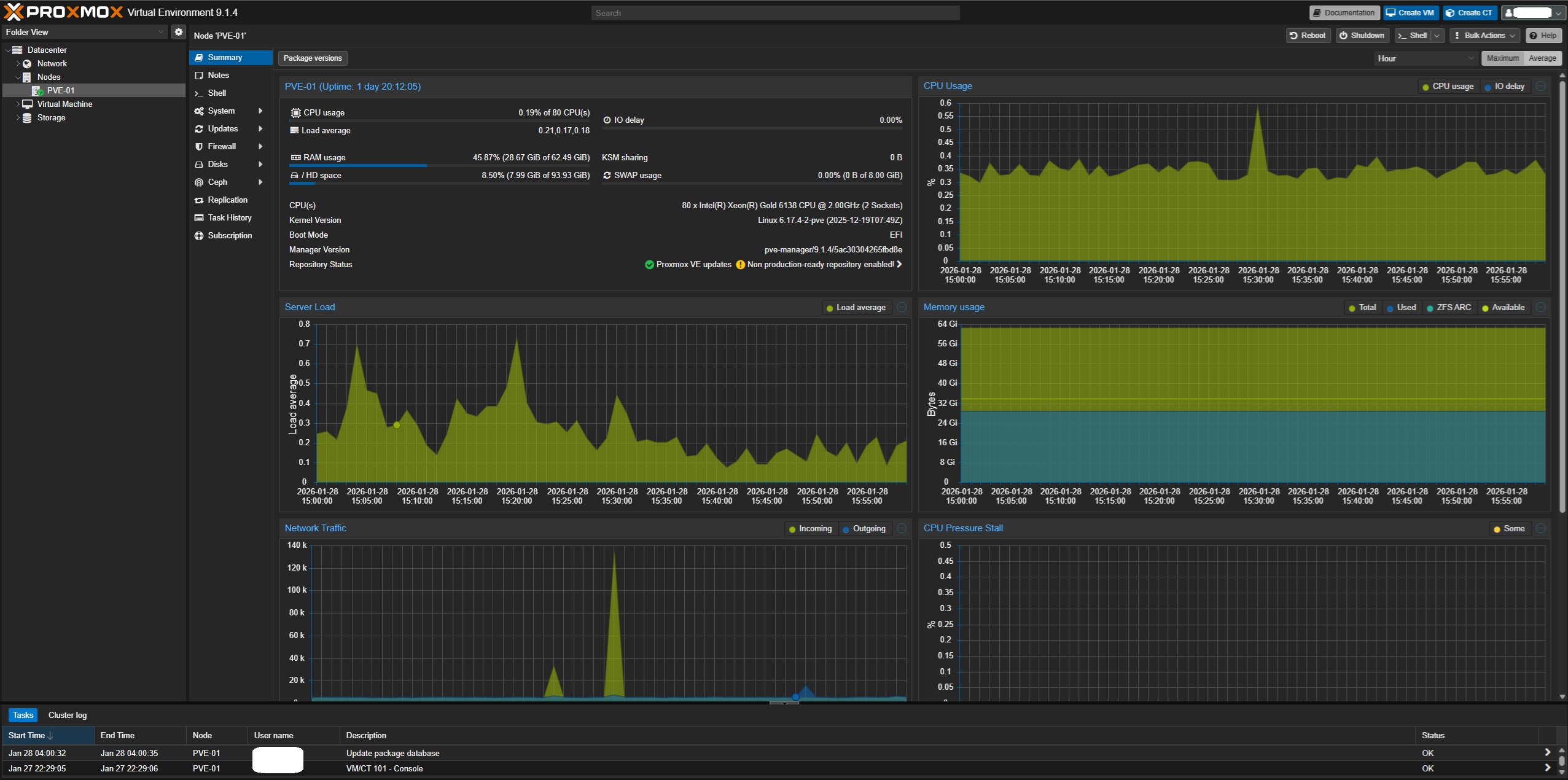 My Proxmox Virtual Environment
Network Setup
The homelab sits behind my main network and is segmented via VLANs for safety and experimentation. Internal services stay internal unless explicitly exposed.
From top to bottom:
- Router / Firewall: UDM-Pro
- Switching: USW-Pro-Max-24
- UACC-Rack-Panel-Patch-Blank-24
- Access Point: UAP-AC-LR
- PoE: US-8-150W (130W)
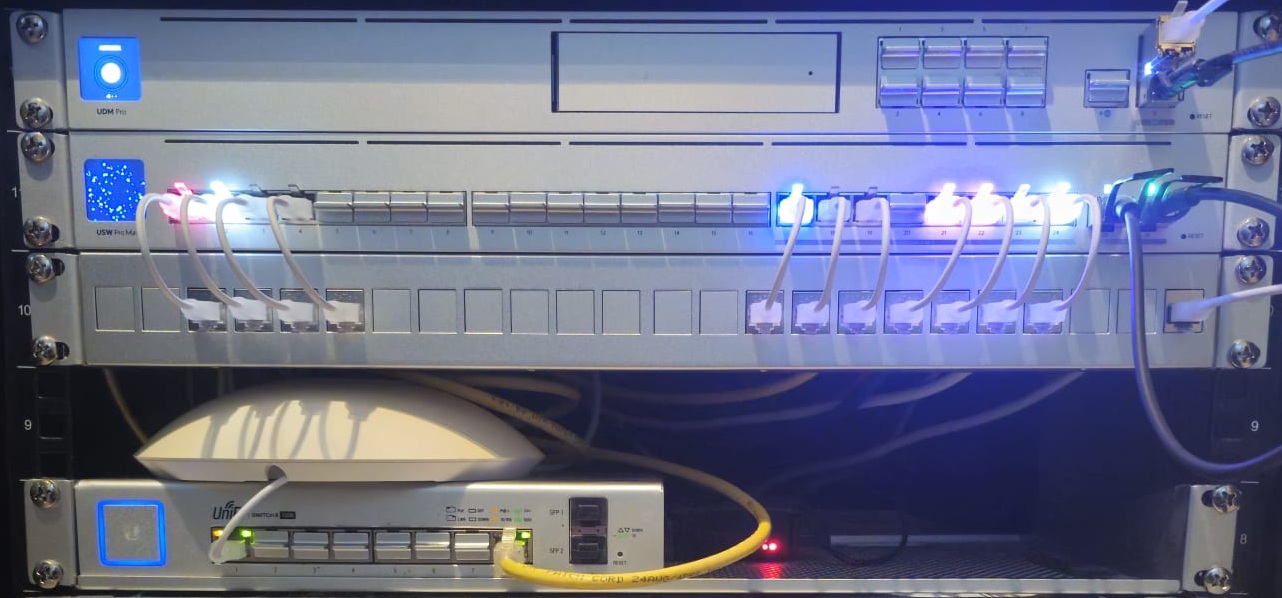 My Ubiquiti Network
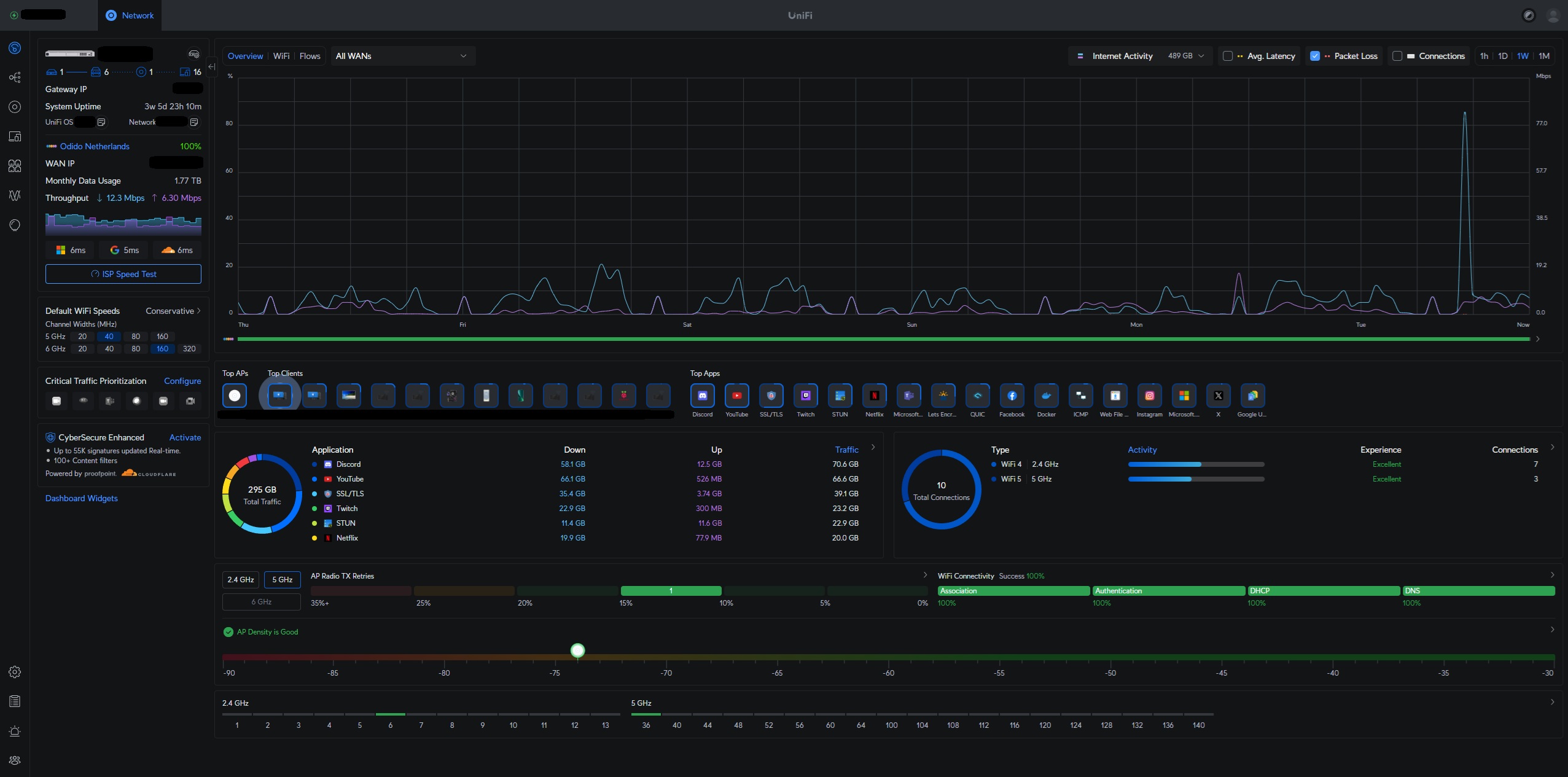 My Ubiquiti Network Dashboard
Storage Setup
Storage is a UNAS-Pro, which I use for SMB Shares:
- Form Factor: 2U rack-mount with integrated 1.3” status touchscreen.
- Core Hardware: Quad-core 1.7 GHz ARM Cortex-A57 CPU / 8 GB RAM.
- Network Uplink: 10G SFP+ for high-speed local transfers.
- Drive Configuration: 7 hot-swappable SATA bays running RAID5 + 1 Hot spare
- General storage for my wife and I.
- Guest storage served through a VPN.
- Proxmox ISO storage.
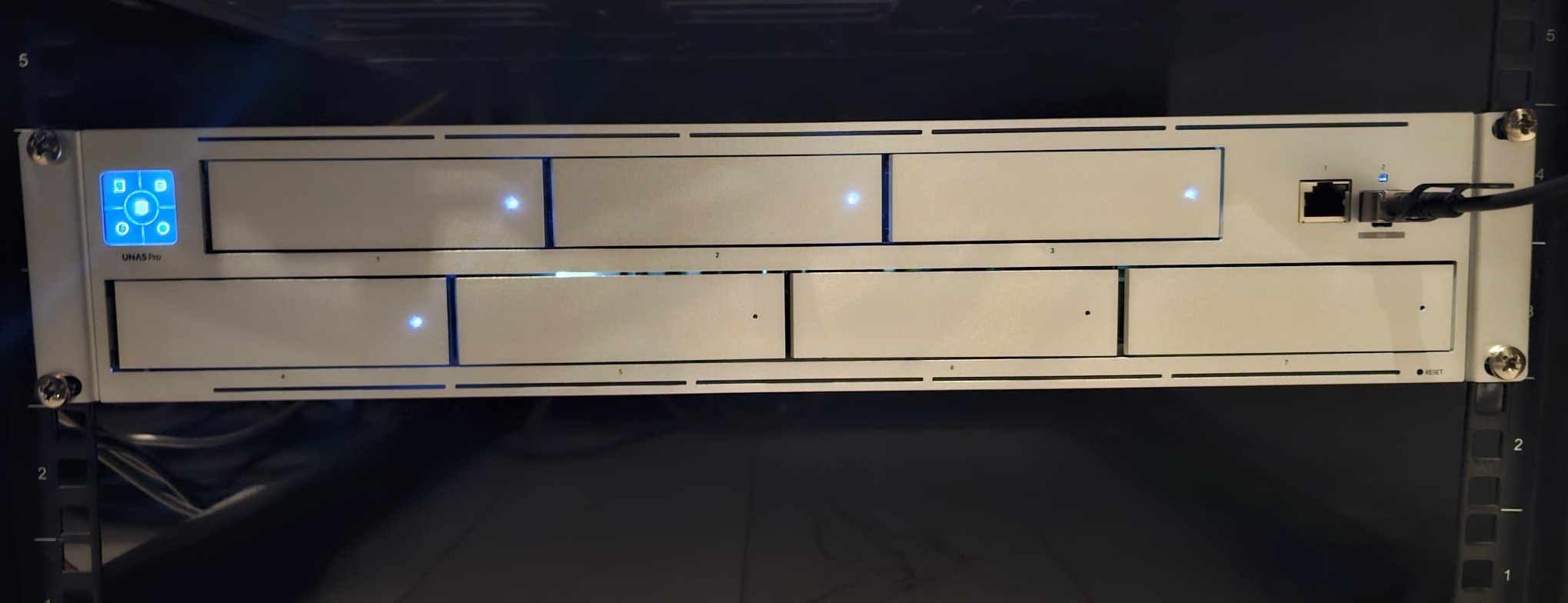 My UNAS Pro
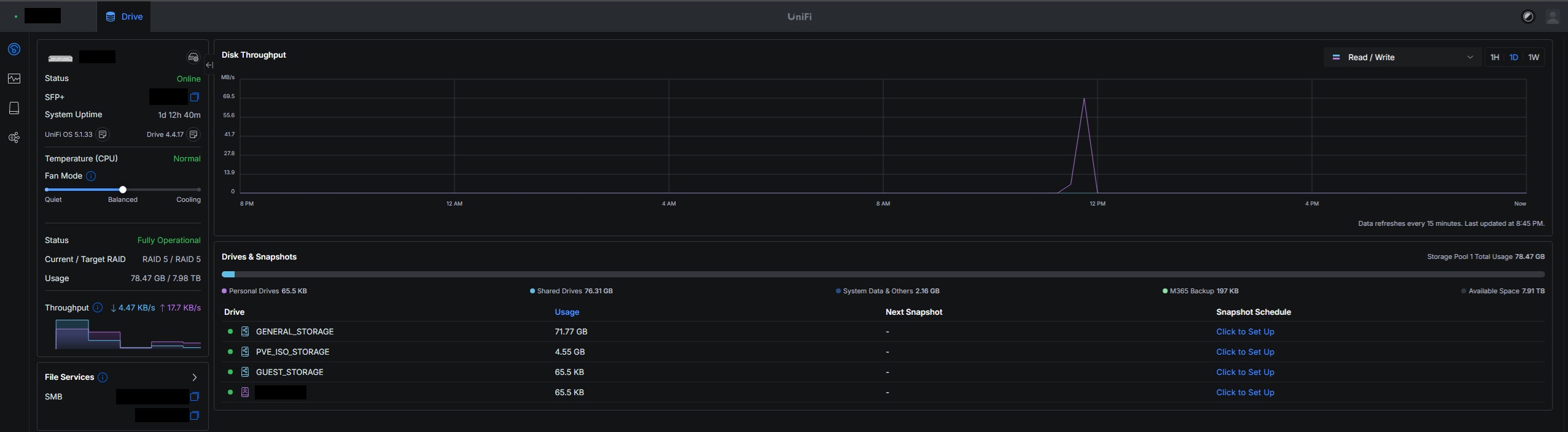 My UNAS Pro Dashboard
Ending
This homelab is very much a work in progress, and it will probably always be. More detailed posts on each service are coming soon.